
Feature
Track renovation costs with less guesswork
Tasks Nest helps you keep budget information closer to the project, so costs, payments and changes are easier to track as the renovation moves forward.
Renovation budgets drift when money is tracked in fragments
A budget becomes harder to trust when estimates, payments, changes and notes are spread across different files and conversations. Tasks Nest helps bring more of that context back into one place.
Keep cost tracking closer to the work
Tasks Nest is built to help homeowners keep spending visible without making the budget feel disconnected from the rest of the project.
- Keep project costs easier to review.
- Track payments with more context.
- Reduce the chance of losing budget details across different tools.
- Support better visibility as changes happen.
Useful for real project spending, not just rough estimates
Tasks Nest is designed to support the practical side of renovation budgeting, including the moving parts that make project costs harder to manage once work starts.
A clearer place to manage renovation spending
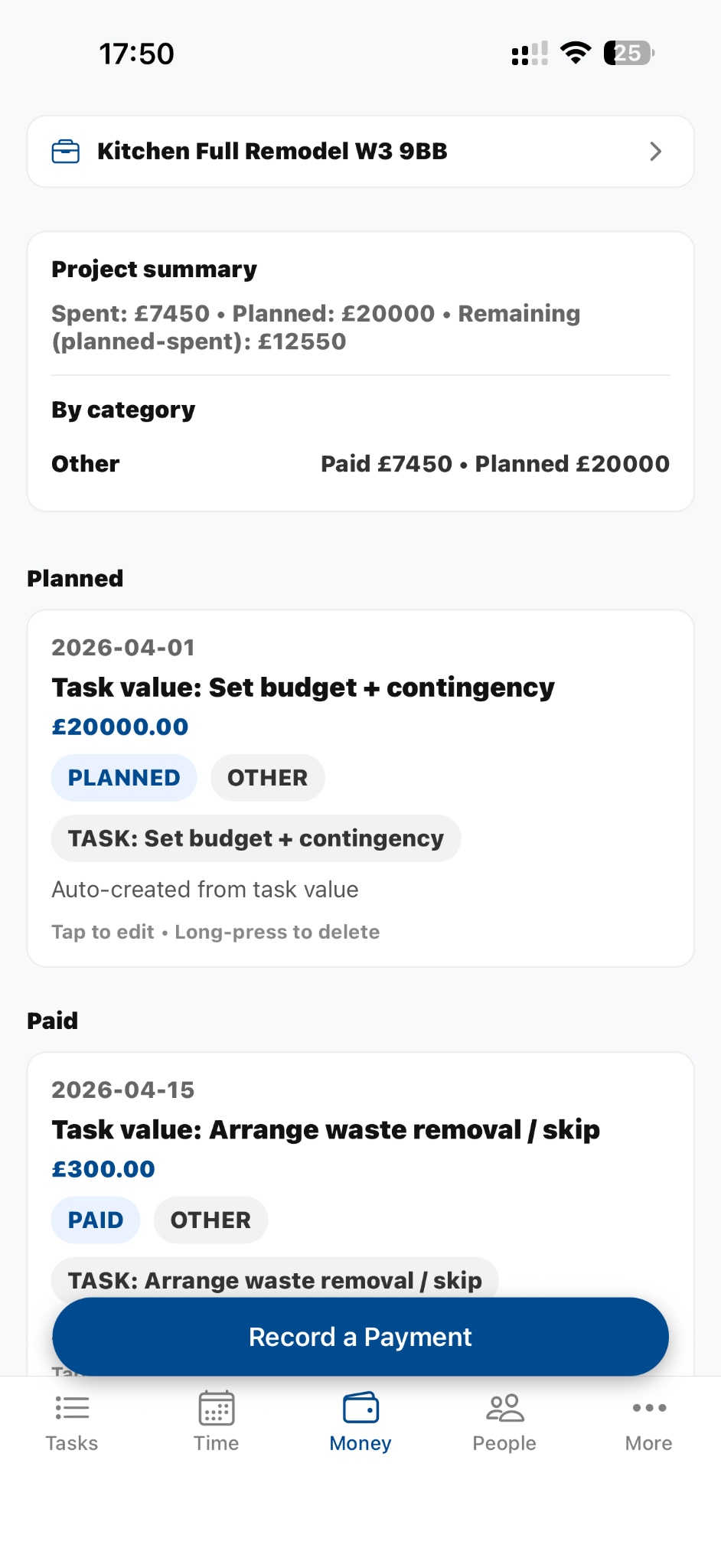
Track payments with more context and stay closer to the bigger budget picture.
Frequently asked questions
Can I use Tasks Nest instead of a renovation spreadsheet?
For many users, yes. It gives you a more connected way to manage costs alongside tasks and project progress.
Does this only track one type of cost?
No. The goal is to help you keep project spending easier to manage as a whole.
Is it useful even if my budget changes often?
Yes. Renovation budgets often move. The important thing is keeping those changes easier to follow.
Ready when you are
Keep renovation costs clearer from the start
Use Tasks Nest to track spending, payments and budget context in one organised place.